

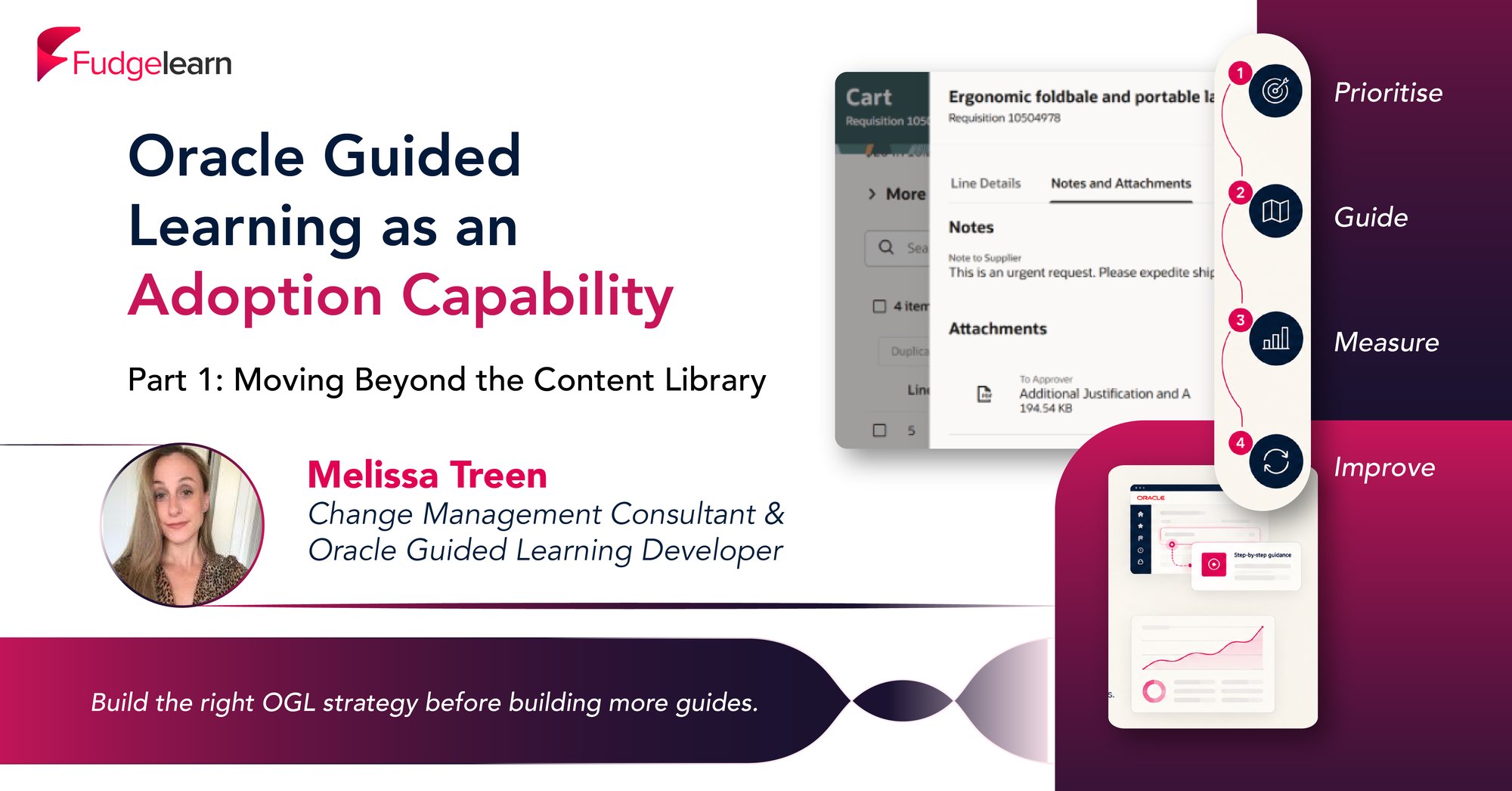
Oracle Guided Learning (OGL) is a significant investment. Like any investment, its value is not determined by simply owning the technology, but by how effectively it is used and developed.
One of the most common misconceptions we encounter is that successful OGL adoption means creating hundreds of Process Guides or switching on every available base guide. While this might seem like the quickest route to value, it often results in overwhelmed users, difficult maintenance, and content that quickly becomes outdated. In our experience, the most successful OGL implementations take a different approach.
At Fudgelearn, we fundamentally view OGL as a continuous communication and support solution that guides new and seasoned users throughout the Oracle Fusion Cloud lifecycle. That means considering not only what content to build, but how it will be deployed, maintained, and continuously improved over time.
The "Build Everything" Trap
When organisations first invest in OGL, it can be tempting to create a Process Guide for every transaction, every variation, and every possible scenario.
At first glance, this feels comprehensive, but it can create three significant challenges:
- Users become overloaded with guidance.
- Content becomes increasingly difficult to maintain alongside quarterly system updates.
- Many guides are rarely used, meaning development effort delivers little value.
A large guide library does not necessarily mean a positive user experience. We believe that care and consideration should go into delivering the right guidance to the right user at the right time.
Start With Business Priorities, Not Content Volume
Before developing any guides, identify where users (will or do) need support.
We recommend focusing on:
- Critical business processes and requirements.
- Areas with a high risk of user error.
- New functionality or system changes.
- Known pain points or help-desk data. More on this in Part 2.
Rather than attempting to support everything at once, prioritise the processes that will solve problems and deliver the greatest business impact. This approach ensures development effort is spent where it is most needed and allows organisations to demonstrate value early in their OGL journey.
A prioritisation-led approach also makes content maintenance significantly easier. Instead of managing hundreds of Process Guides, teams can focus on keeping the most important guidance accurate and effective.
Think Beyond Process Guides
Another common mistake is treating OGL as a tool exclusively for step-by-step process guidance.
Process Guides are important, but they are only one part of the picture.
The strongest OGL implementations blend multiple guide types to create a seamless user experience.
Process Guides: Introduce and Navigate
Process Guides work particularly well when:
- Introducing users to new pages.
- Supporting infrequent or complex processes.
- Providing page tours and orientation.
Rather than creating lengthy end-to-end guides, shorter Process Guides can help users reach the correct page quickly before handing off to more targeted support.
Smart Tips: Support Users at the Point of Need
Smart Tips can often deliver more value than traditional Process Guides.
Instead of disrupting users with lengthy walkthroughs, Smart Tips provide subtle, embedded guidance exactly where and when it is needed.
Smart Tips can be used to:
- Draw attention to important fields.
- Encourage correct data entry.
- Highlight new functionality.
- Reinforce business-specific behaviours.
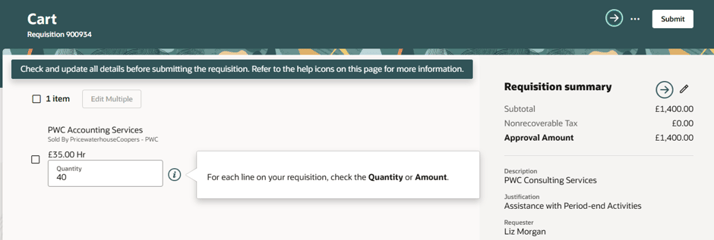
Smart Tips act as prompts that appear naturally within the page, so they look and feel much less intrusive and become part of the user experience rather than an interruption to it.
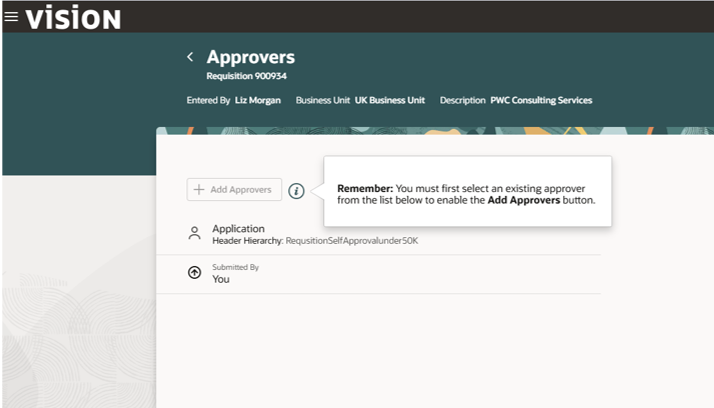
Messages: Communicate and Drive Change
OGL is also a powerful communication channel.
Messages can be used to:
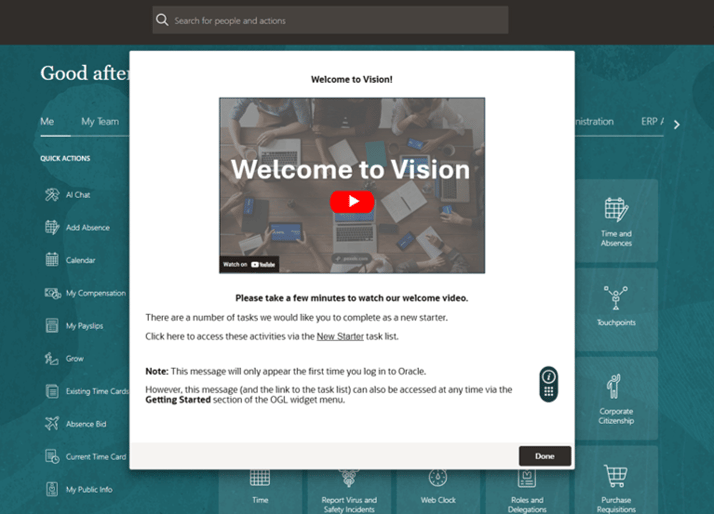
-
-
- Welcome new users.
- Introduce new features and functionality.
- Remind users about upcoming tasks.
- Communicate policy changes.
- Support Oracle quarterly releases.
- Build awareness of, and prepare users for, wider organisational initiatives.
-
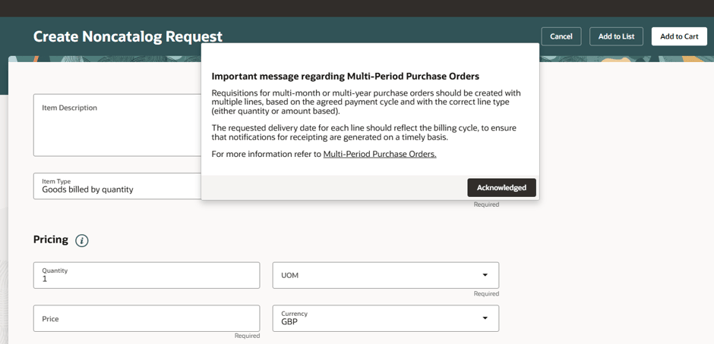
Rather than relying solely on email communications, messages allow organisations to communicate change directly within the flow of work.
Put the User Experience First
The best OGL content blends seamlessly with Fusion.
That may sound unusual, but it is usually a sign that the guidance has been well designed.
Users do not want constant pop-ups and interruptions. They want support when they need it.
At Brent Council, welcome messages were intentionally configured to appear only during a user's first few visits to the system, after which they would automatically stop. This approach helped introduce users to OGL without creating long-term disruption.
When designing content, consider:
- How often will users see it?
- Whether it remains relevant after repeated use.
- Whether it helps users complete a task faster.
- Whether it feels like part of the system experience.
The goal is to provide guidance that feels "baked into" the application rather than layered on top of it.
Deploy in Phases, Not All at Once
A phased deployment strategy consistently delivers better results than attempting a large-scale rollout. Each phase gives organisations the opportunity to gather data from that go-live to better understand what people have had (or may be having) problems with in that area.
By focusing on one area or module at a time, organisations can:
- Learn what works.
- Gather user feedback.
- Review analytics (such as user search terms).
- Identify gaps and teething problems.
- Refine their approach.
- Demonstrate value quickly.
This was a key part of Brent Council's implementation, where deployment focused on individual business areas before expanding to additional processes. The approach allowed content to be scoped, validated, refined, and improved collaboratively over time.
We find that a phased rollout also helps organisations develop their own internal OGL capability, building confidence and understanding around OGL solutions before scaling further.
Maintenance Is Part of the Strategy
Perhaps the most important lesson here is that OGL is never "finished".
Oracle Fusion systems evolve continuously through quarterly updates, new functionality, business process changes, and organisational change initiatives.
An effective OGL strategy must therefore include:
- Content reviews.
- Regression testing.
- Analytics and reporting.
- Continuous improvement.
- Ongoing guide enhancement and maintenance.
The organisations that achieve the greatest value treat OGL as an ongoing operational capability rather than a one-time implementation activity.
Final Thoughts
The organisations seeing the greatest return from Oracle Guided Learning are not necessarily the ones with the largest guide libraries.
They are the organisations that:
- Prioritise their most important processes.
- Deploy content in manageable phases.
- Use a blend of Process Guides, Smart Tips, Messages, and other guide types.
- Continuously refine and improve content.
- Keep user experience at the centre of every decision.
OGL is far more than a collection of Process Guides. It is a communication and support solution that helps organisations embed change into everyday work.
When content development and deployment is approached strategically, OGL becomes not just a tool for helping users navigate the application, but a mechanism for managing change, sustaining adoption, and, ultimately, maximising return on investment throughout the entire Oracle Fusion Cloud lifecycle.
In Part 2, we’ll delve further into how organisations can make use of their service desk tickets to identify recurring issues and better address user needs with OGL interventions.