

This is Part 2 in our Oracle 26C and Oracle Guided Learning blog series. In Part 1, we looked at Procurement and explored where small but visible changes could be supported with targeted, in-the-flow guidance. In this second part, the focus moves to HCM, where the 26C updates create practical opportunities to support employees, managers, and administrators across absence, time, and approval journeys.
Absence Management: guidance for policy-sensitive moments
Absence Withdrawal by Employees on Approved Absences
The 26C Absence Management changes include an update to the withdrawal process for approved absences. Here, an employee edits and resubmits an already approved absence, the transaction NOW moves to Awaiting Approval status.’ Or ‘NOW, once the change is approved, the employee can then request an absence withdrawal, which again requires manager approval. This is an area where clear in-application guidance matters, such as contextual guidance that explains the difference between editing, resubmitting, and withdrawing an absence, including when manager approval is required.
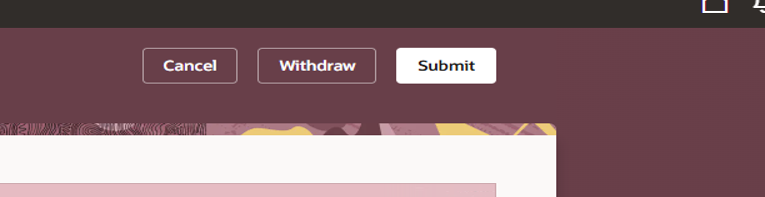
Some organisations may previously have hidden the Withdraw button using Visual Builder, so users and managers may need support to understand the revised behaviour. It is also important to explain the caveat that employees can still withdraw absences that have not yet been approved.
Invalid Dates Disabled in the Calendar
On the enhanced Redwood pages, the calendar now only allows users to select valid dates for the chosen assignment when entering absences against past or future assignments. Invalid dates are greyed out, helping users avoid mistakes before they happen.
This is a good example of a system change that may reduce error handling but still benefit from a short explanation via OGL. A user may wonder why some dates are unavailable, particularly if they are working across assignments.
New UK Government Absence: LGPS Stringer Days
The new UK Government Absence for LGPS Stringer Days is particularly important because it links system behaviour to policy and statutory context. Annual leave continues to build up during sick leave, and employees have the right to take leave while off sick and be paid at their normal rate. These are now referred to as Stringer Days. Key guidance can link users to the relevant absence policy and explain when Stringer Days should be used.
Oracle will support this via a generic absence type with the Legislative Grouping Code set to UK Stringer Days. The feature helps preserve statutory sick pay and occupational sick pay entitlements while processing payments during sickness absence, supporting compliance and accuracy in pensionable pay calculations.
Time and Labor: Supporting Both Employees and Managers
The Time and Labor changes provide several opportunities for OGL guidance, not just for employees entering time but also for line managers reviewing, approving, and responding to Time Card submissions.
Redwood Time Card Enhancements
The Redwood Time Card enhancements allow users to enter time entries that end exactly at midnight, even when the option to span midnight is disabled. This should improve time-entry efficiency and reduce confusion for users working around midnight.
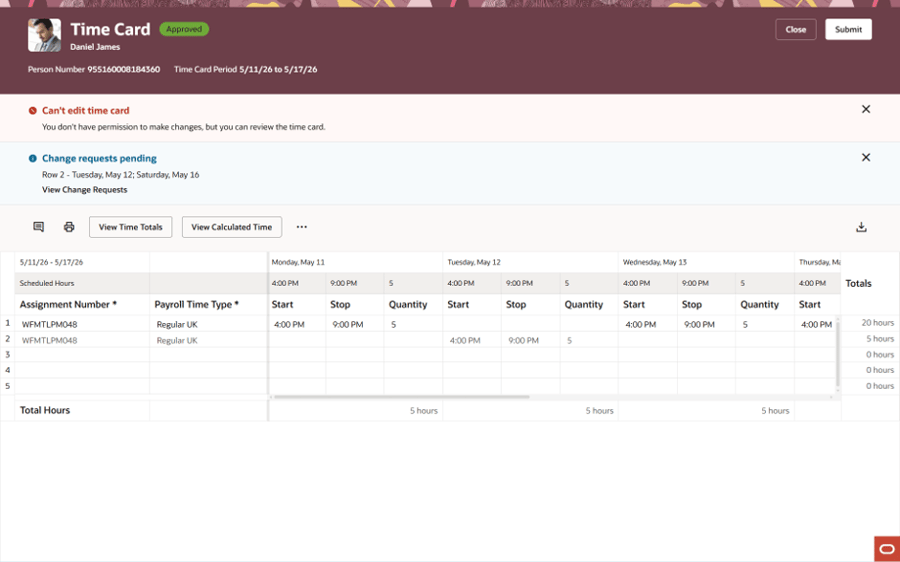
For an OGL developer, the key is to identify where users may previously have worked around this limitation. A small guidance prompt can confirm the new behaviour and help users complete the Time Card correctly the first time.
The Bottom Line
As with Procurement, the value is not in over-explaining every release note. It is in identifying the moments where users need timely reassurance, a clear next step, or a reminder of policy context. For HCM, that means using OGL to make Oracle 26C changes easier to understand in the flow of work, so employees and managers can act with confidence. At the same time, organisations strengthen adoption, accuracy, and consistency.
Need help turning Oracle 26C changes into targeted in-application guidance? Reach out to our expert OGL team to explore where Oracle Guided Learning can support your ERP & HCM users, simplify key updates, and help your organisation get more value from every release.