

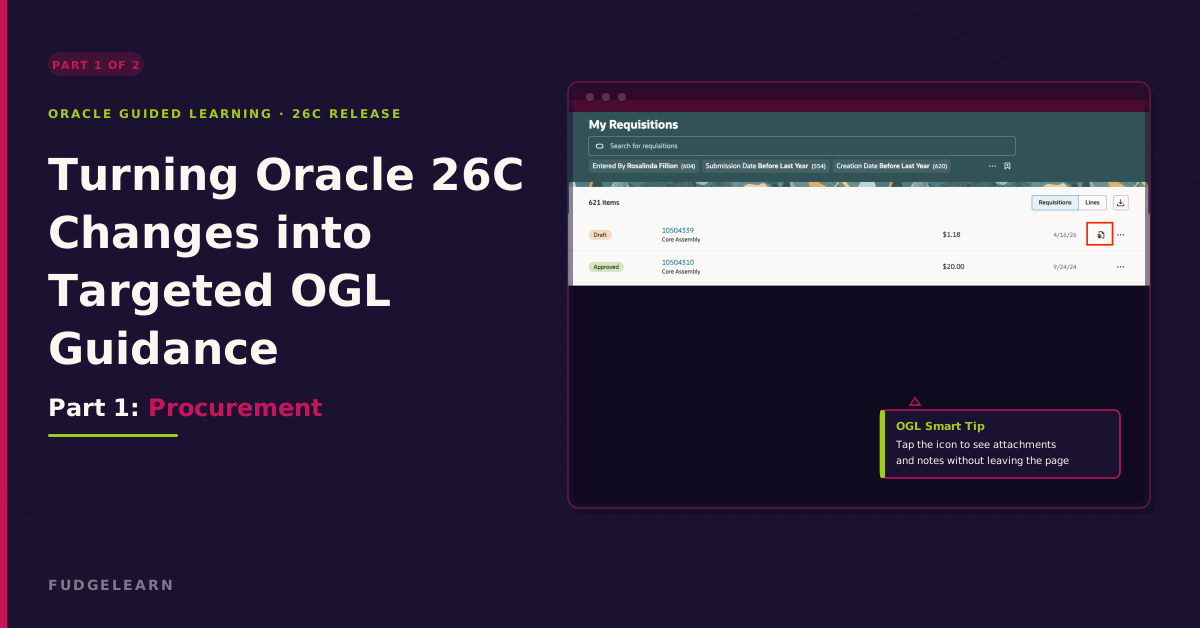
When I review a new Oracle release, I am not just looking for what has changed technically. I am looking for the moments where users may hesitate, ask questions, or need reassurance in the flow of work. The 26C updates include several changes that feel well-suited to Oracle Guided Learning solutions/interventions because they are visible in everyday journeys and can be supported directly at the point of need.
In this blog, I have pulled together the main opportunities I would consider as an OGL Developer, with a focus on practical guidance and support for adoption.
Procurement: Small Changes with Strong Guidance Potential
Identifying Attachments and Notes on My Requisitions
One of the most useful procurement updates is the extension of Attachment and Notes visibility to the My Requisitions page. This was previously introduced on the Requisition Line details page, but bringing the visibility into My Requisitions makes the information easier to find and reduces unnecessary navigation for end users.
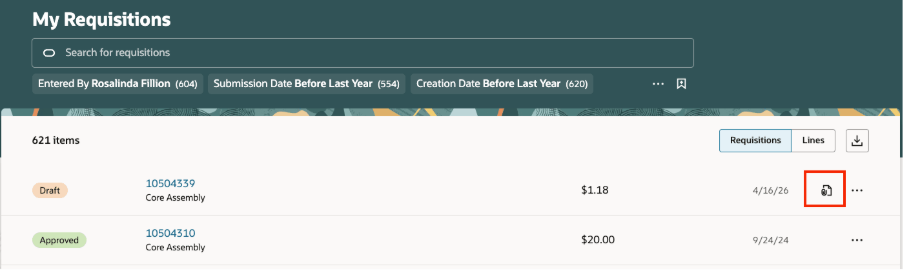
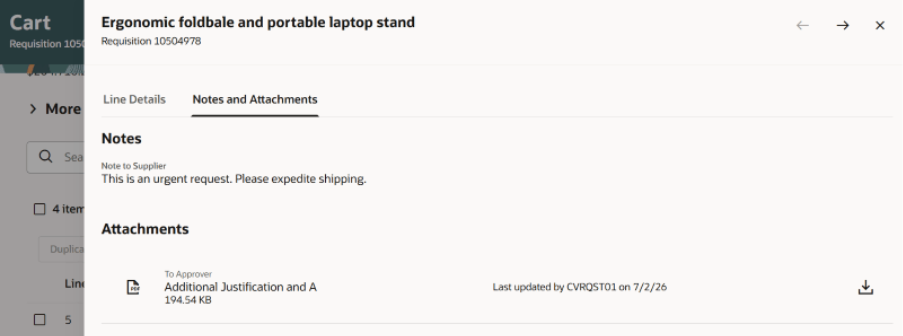
From an Oracle Guided Learning (OGL) perspective, this is a quick win: smart tips that explain what the icons mean and what users should do when the pop-out drawer opens. The guidance does not need to be lengthy; the value is in highlighting new functionality and helping users trust that the supporting information is available without leaving the page.
Viewing Additional Information about Deliver-To Locations
Oracle has introduced a feature link on Deliver-To Locations that allows users to access additional location information, including address and postcode details. This should reduce the need for separate enquiries and help users confirm they have selected the correct location before progressing.
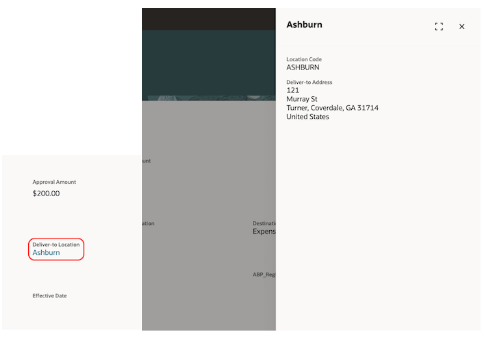
The drawer feature keeps the user on the same page, which is important for OGL design. It means we can support the interaction without interrupting the user’s process. However, guidance should also explain the limitations: the information is read-only for internal locations and does not apply to one-time locations.
Viewing Additional Information about Preparers, Requesters, Buyers, and Approvers
Another helpful update is the ability to view additional information about Preparers, Requesters, Buyers, and Approvers on Requisitions and Purchase Orders. This gives users access to contact and job-related details without leaving the procurement flow. For OGL, this is a strong candidate for reusable guidance because the feature appears in several areas across Self Service Procurement. A single guidance pattern could help users understand the link, the drawer behaviour, and the type of information available.
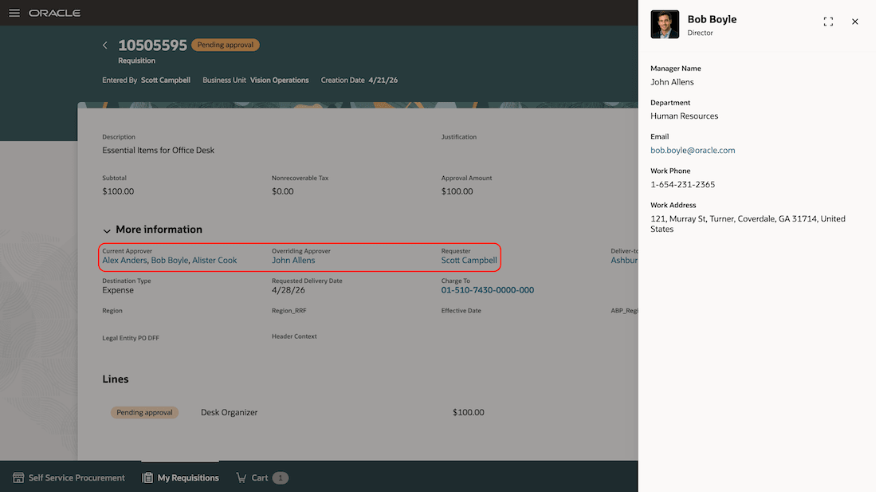
The procurement updates in 26C are small in scope but strong in guidance potential. Drawers, icons and new links are exactly where well-placed OGL smart tips build user confidence without interrupting the flow.
Part 2 covers Absence Management and Time and Labor, read here.